I’m trying to use a spreadsheet driven part because I will be trying MANY different sizes and combinations of these parts experimentally to find a design I like.
Configurations were not the answer, as I’d still need go into the part and manually change the extrudes, save as a new configuration, etc.
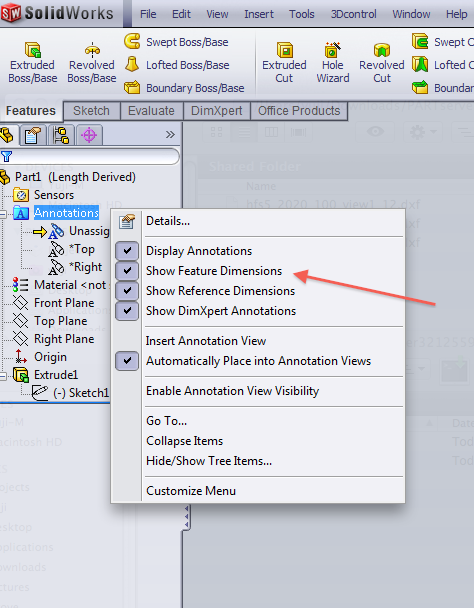
Anyways, to use design tables, you need to see your feature dimensions, and the solidworks help files just say “Annotations > Show Feature Dimensions”. It’s definitely not in the options tool, no, it’s in the right click menu of “Annotations” in your Feature Manager.
 Yuji Tomita
Just started t ouse wordpress thanks for this tips