Mac — Remove Touchpad Drag Delay with BetterTouchTool (free)

The mac has a drag release delay on the touchpad.

Say you start to drag a file via tap+tap hold drag: pretty standard.

As soon as you release though, you notice the window is still attached to the pointer. No, you don’t have drag lock enabled (er, you might), you have some built in “feature” to keep the window attached even when your hand goes off the touchpad.

This can be useful but for me just messes with my workflow since it’s hard to predict.

Luckily, BetterTouchTool takes care of this, along with MANY other awesome features missing from the OS, including windows 7 window resizing, custom gestures (I have my 4 finger swipe moving spaces).

More on BetterTouchTool here:

https://yuji.wordpress.com/2010/07/25/mac-osx-multitouch-spaces-custom-multitouch-windows-7-like-windows/

To remove the drag release delay…

Install BetterTouchTool and navigate to its preference panel.

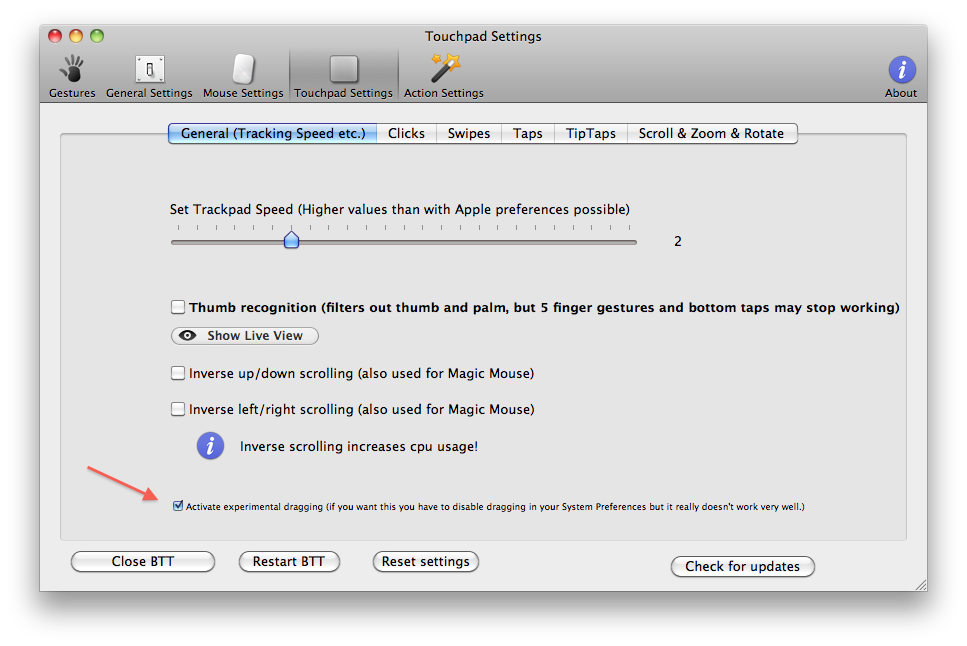
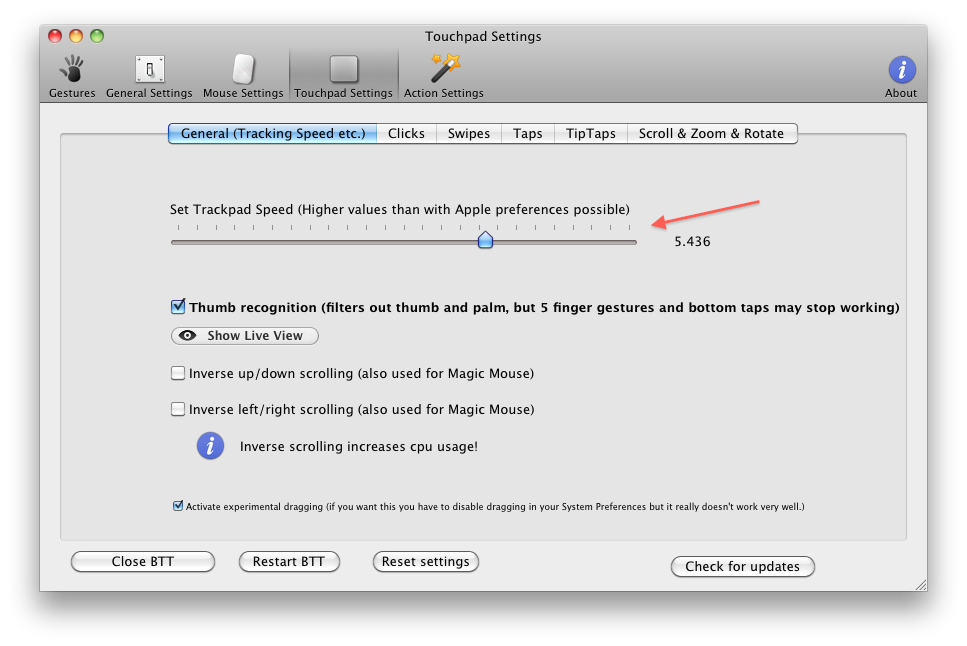
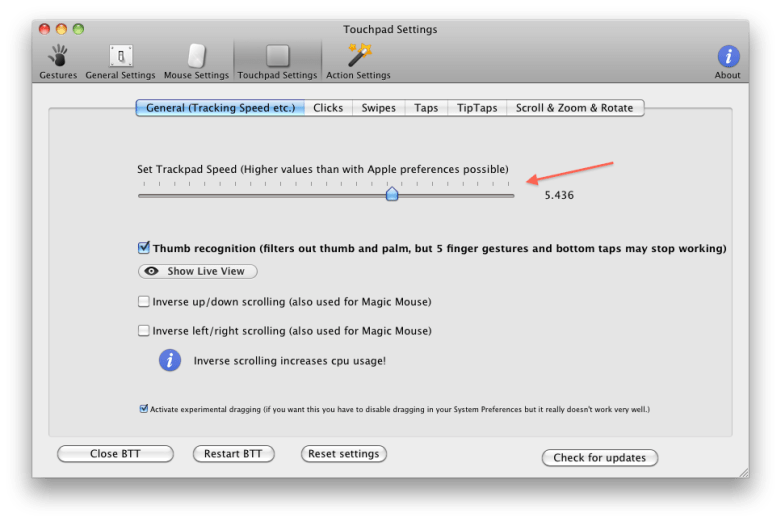
Go to the touchpad settings, and in the general tab, click the experimental drag button.

Let me know if it helped!

Mac OSX — Multitouch Spaces / Custom Multitouch / Windows 7 Like Snapping & Resizing

I found an extremely versatile tool called MultiTouchTool here: http://mac.softpedia.com/progDownload/BetterTouchTool-Download-66288.html

It seems extremely well made in general, especially for a .5 alpha?

Anyways, it lets you remap gestures (and adds tons of new ones too). The program comes with another awesome perk: maximizing windows like in windows 7: drag a window to the top edge and it will maximize.


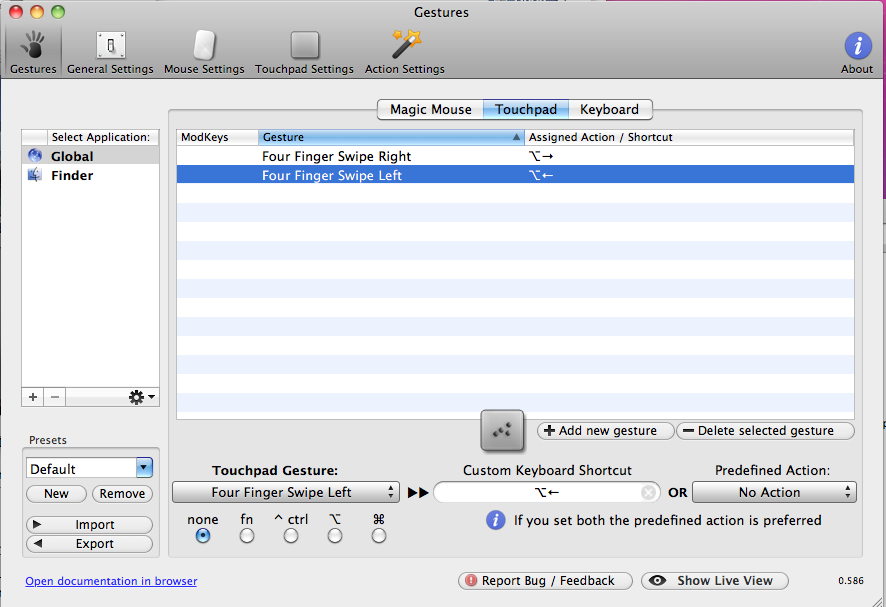
Setting my four finger swipes to navigate spaces:

I’ve set my four finger swipe left / swipe right to move spaces left /right.

I have my spaces set up in 1 row, so that’s all I need. Super useful! Looks like it’s robust enough to handle any keyboard shortcut!
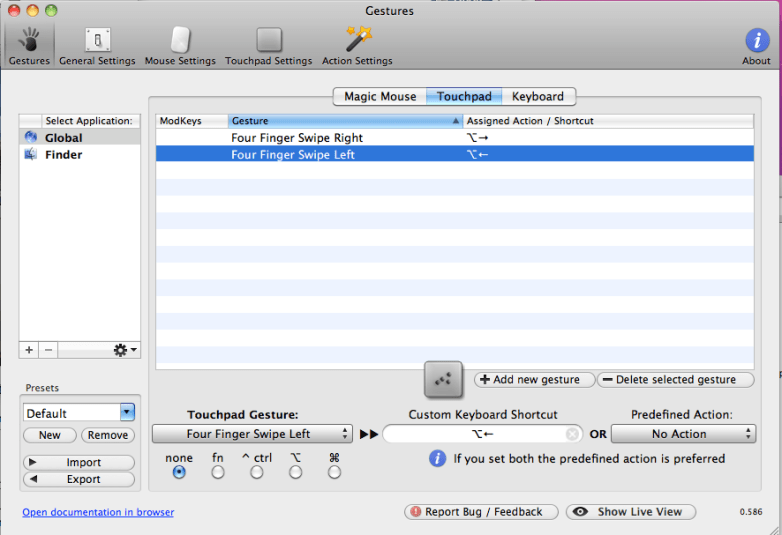
Remember to disable the default multitouch swipe you’re replacing, or you’ll get buggy results.

Troubleshooting: Note that when you launch it, it may open a warning dialog saying you need to turn on the accessibility API. I couldn’t find it (was in space 1) and thought it was broken.

Windows 7 like maximize:

Awesome windows 7 like window snapping features.

My favorite is being able to drag towards the top to maximize, but have the window REVERT to the original size when moved.

Install the app and the settings are under “Action Settings” in its preference panel.

What a find.

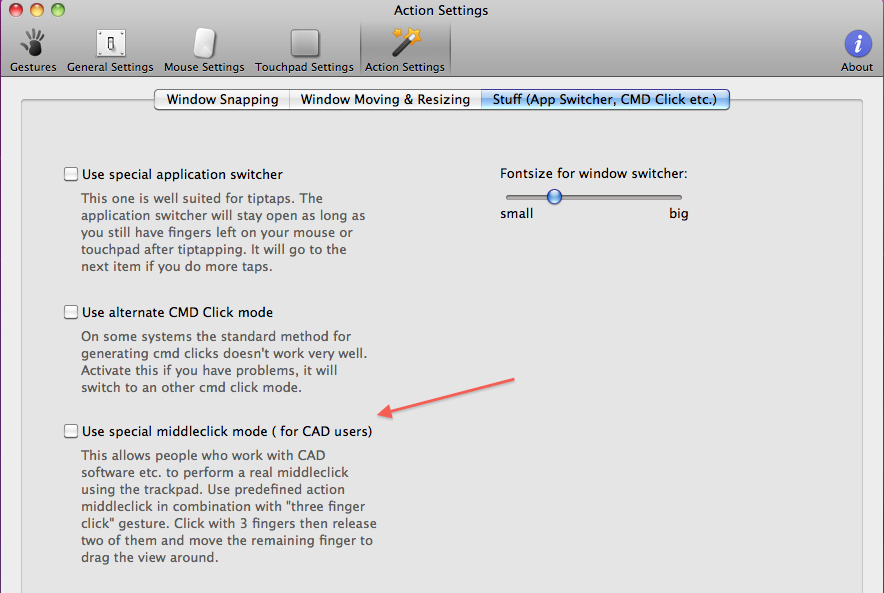
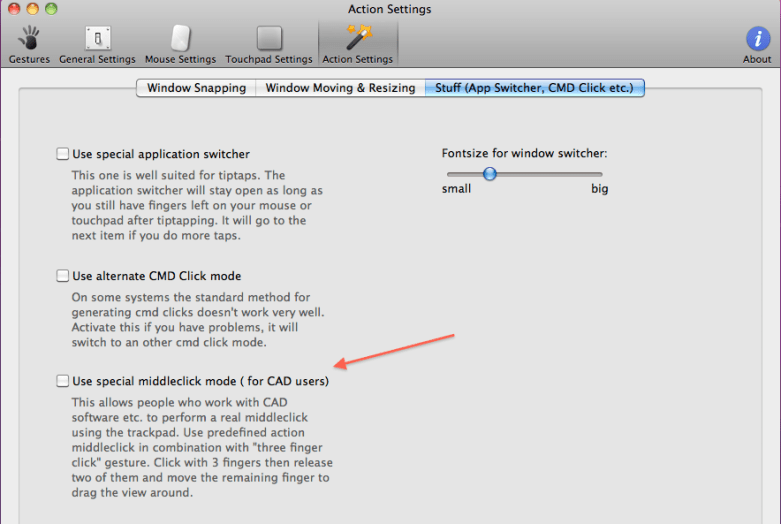
Supporting Middle Mouse Click + Drag on the Touchpad:

Found a great little extra here – I didn’t even ask for it!
Increase Trackpad Speed Beyond Max

I bought the 17″ Macbook Pro, and the screen is too big to comfortably navigate with even the max track speed in the preferences.

Luckily, this same program fixes nearly everything I dislike about the default mac settings. And I didn’t even ask for it.
iPhone iTunes — How to Sync Apps from iPhone to iTunes

I had to google for an hour to figure this one out. Damn you apple!

Yes, I’ve right clicked and click transfer purchases. Yes, I’ve synced. No, I do not want all my apps/songs deleted from my iPhone.

I found in an obscure forum reference that  the computer needs to be Authorized by itunes. It looks like you have 6 computers per account.

How to do it right:

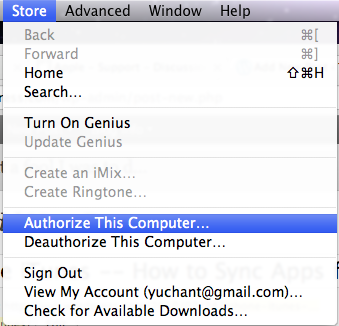
Open iTunes, click on the Store menu, and click Authorize this computer. Done.

Now, right click your iphone and click Transfer Purchases, or go to the file menu for the same thing.

Oh my effing god, that was 150x harder than needed. Documentation would help. It was confusing when right clicking transfer purchases before authorization shows a split second of one of my apps in the status bar that disappears with no warning. It would be a good place to throw out an error message saying: “Hi, no apps have been synced for 1 of 2 reasons: you have no apps. your computer is not authorized.”

I really hope this helps somebody else out there.

Django — Detect what fields have been changed / modified on save.

How to detect which fields have been changed upon saving a model.

I just needed a quick way to detect which fields have been changed as a convenience for a team.

This is what I came up with.

Is it too expensive to do comparisons like this?

Please let me know if you have any suggestions.


    def __init__(self, *args, **kwargs):
        super(Order, self).__init__(*args, **kwargs)
        self._initial_data = self.__dict__.copy()

    def detect_changed(self, user='System'):
        changed = [k for k, v in self._initial_data.iteritems() \
                        if v != self.__dict__[k] and k not in ('log','activity','_state',)]
        if changed:
            self._activity("%s changed %s" % (user.first_name, str(changed).replace('[','').replace(']','') ) )

Mac OSX — Terminal Page Up / Page Down Keybindings

How to setup your mac terminal page up and page down shortcuts.

Default for page up/ page down in terminal is to scroll the actual terminal, not send a page up / page down command TO the program in the terminal .

In short, open terminal settings > go to key bindings>

set page up to 33[5~
set page down to 33[6~

Note that 33 is the ESC key. Typing in \ on its own will result in an escape slash (or smth): \\

So in this case, type in ESC, [, 6, and ~.

Let me know if it helped!

Dell M1210 Hackintosh Intel GMA 950 (not Nvidia)

This was fairly painless procedure: 1 shot did the trick.

LOTS Of googlefu was involved.

  1. Installed ideneb 10.5.6
  2. Screen went black after restart, so followed instructions somewhere to log in to the single user mode (f8 -s on darwin startup), mount the drive mount -uw /, and delete the AppelIntelGMA* files.
  3. Reboot, and we have a crappy looking osx launched.
  4. Now, I enabled root account, and downloaded the intel GMA950 kexts from http://www.insanelymac.com/forum/index.php?showtopic=156261
  5. Reboot, and we have full res.
  6. Sound is not around, and neither is my wireless card (looks like I need to get a different one) but this accomplishes my goal of trying OSX to see if I would like it here for web development.